Names you know.
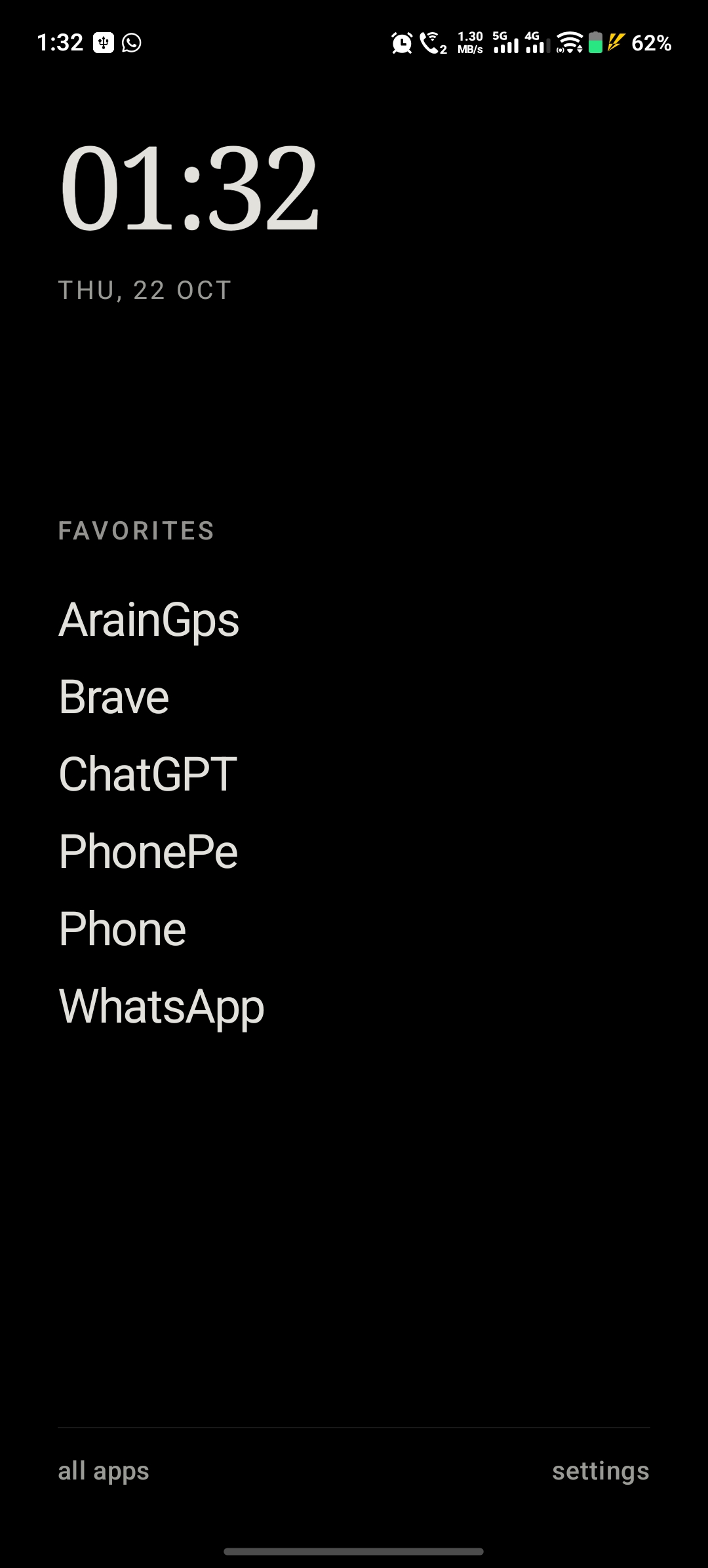
Choose up to six favorite apps for a simple vertical list. Open the full app list and find an app with local text search.
 Let’s talk ↗
MINIMALISTIC LAUNCHER / ANDROID
Available nowYour favorite apps, written simply. Minimalistic Launcher brings a calm, text-based home screen to Android, with space to focus on what you came to do.
Android 8.0+ · Version 1.0.0 · Kotlin & Jetpack Compose
ON YOUR PHONE
Real screenshots in Vivo V40-style frames. Swipe or scroll to explore, then tap a screen to enlarge it. These captures show the interface before the new A–Z index.
Clock and text favorites
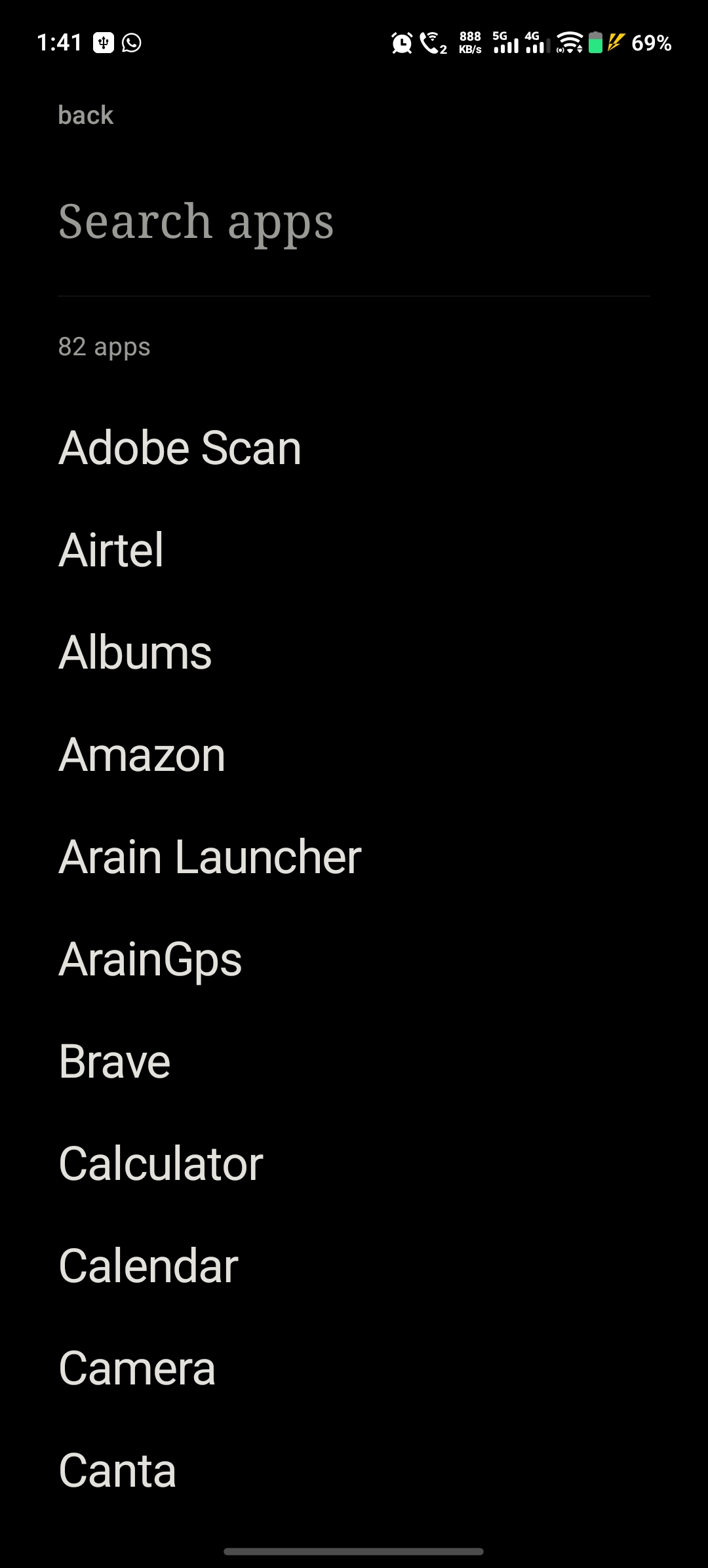
Search and browse installed apps
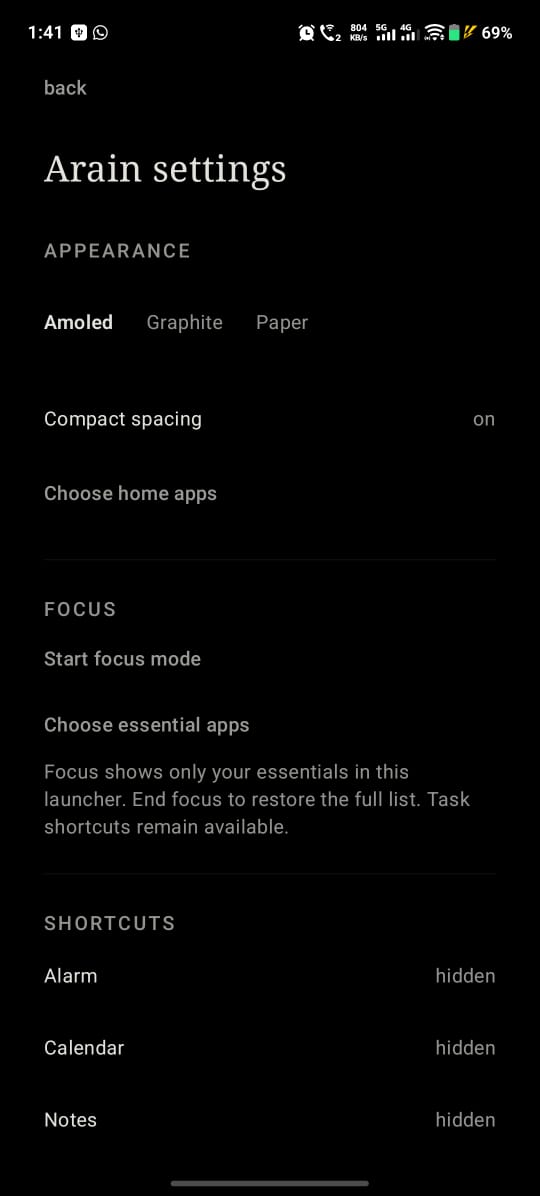
Themes, spacing and essential apps
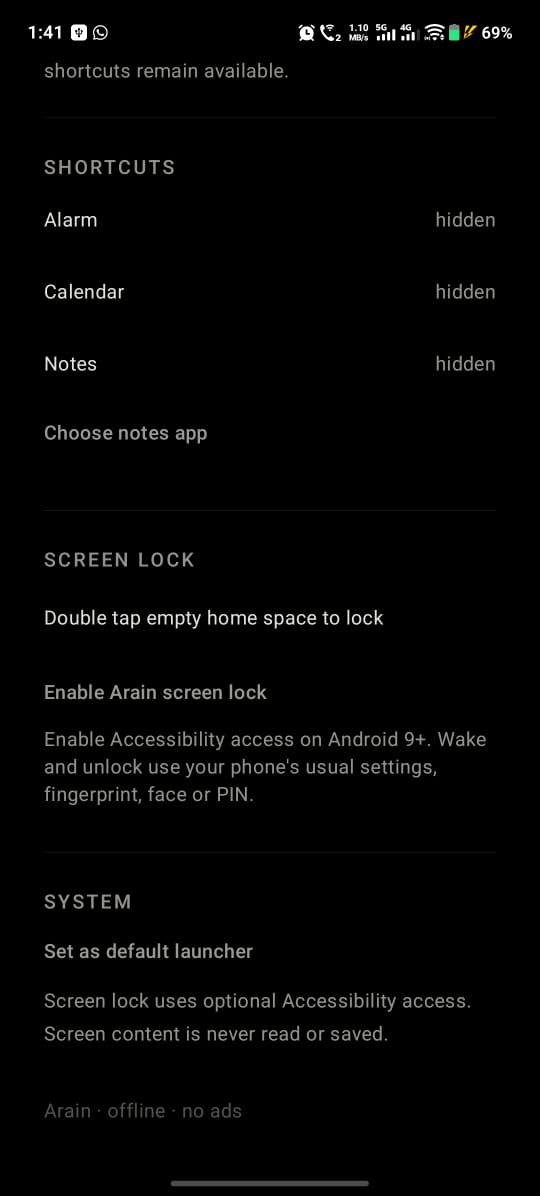
Optional shortcuts and double-tap lock
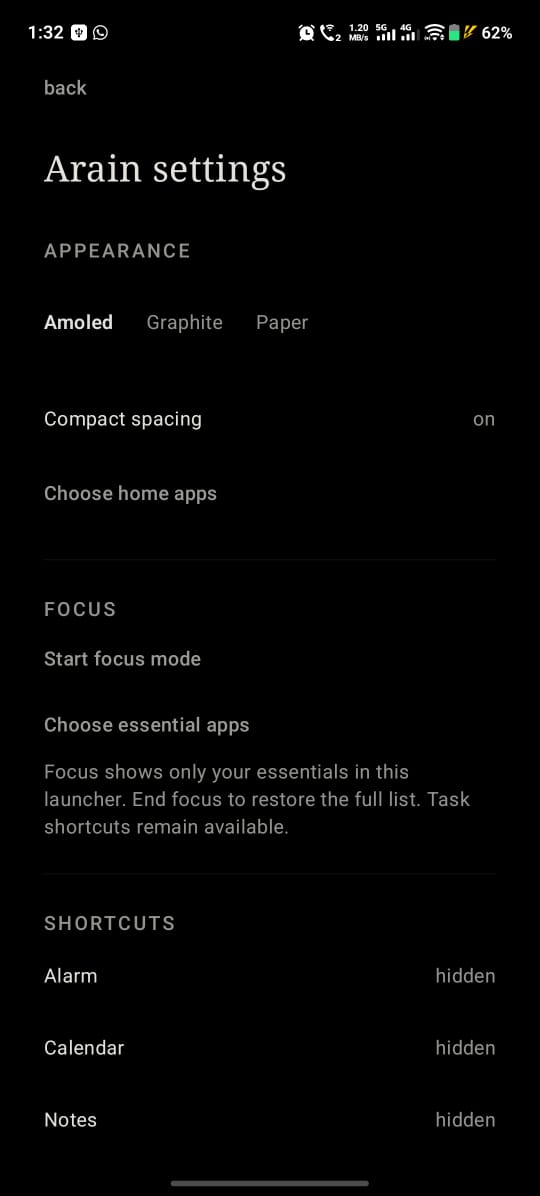
Another view of appearance and focus settings
LESS ON SCREEN
A shared left edge, quiet typography and short fades keep the interface simple. Home editing lives in Settings, so your home screen stays clear.
Choose up to six favorite apps for a simple vertical list. Open the full app list and find an app with local text search.
Start focus mode in Settings to show only your chosen essential apps on Home and in search. A small “focus” label appears while it’s active. End it whenever you’re ready.
Tap alarm, calendar or notes to jump into a task. Show or hide each shortcut individually for a cleaner Home.
Choose AMOLED, Graphite or Paper. A plain background and three consistent text sizes give your apps room to breathe.
Double tap empty Home space to lock your screen after enabling the optional accessibility service. Requires Android 9 or later. Waking and unlocking use your phone’s system features.
Search and preferences stay local. The launcher requests no network permission and includes no ads or analytics. Accessibility events are not read or saved.
PROJECT STATUS
Minimalistic Launcher is an Android project by Sanu Arain, built with Kotlin and Jetpack Compose. Version 1.0.0 is available as a direct APK download.
Focus mode filters apps inside the launcher; it does not block apps across Android. Optional task shortcuts remain accessible during focus.
Download APK