
UBUNTU / DESKTOP UTILITY

DragShift
Your files. A little more flow.
Convert, resize, annotate and organize files with a glass-style desktop dial.
Ubuntu · Global desktop gestures require X11 · Repository access is required to view the source.
DRAGSHIFT IN MOTION
See the flow.
Real app recordings. Automatically looping, silently.
Shift-drag in action
Switch between format and editing tools directly from Files.
ZIP tools, right there
The dial adapts to a ZIP file with archive actions.
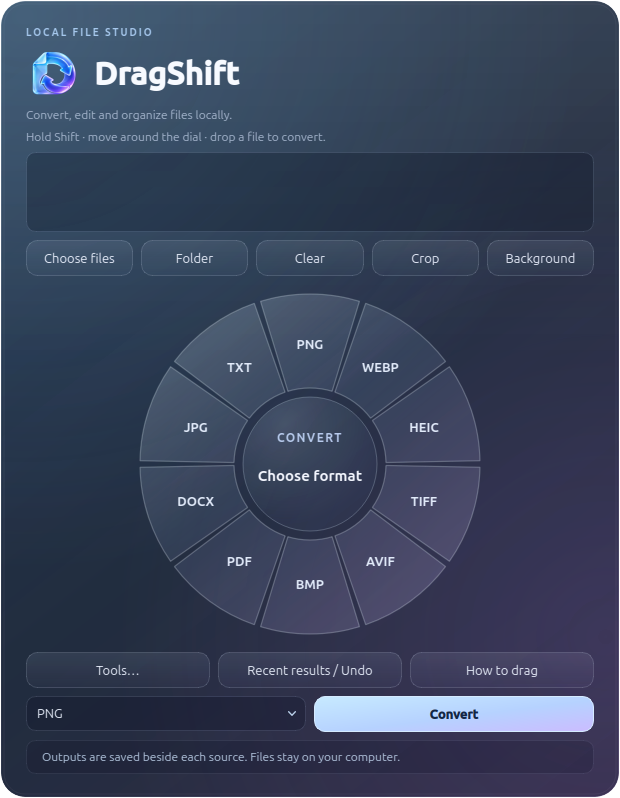
A workspace for your files
Pick a format, choose an editing tool, or return to recent results.
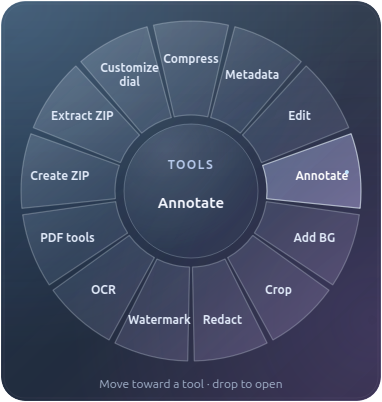
Tools, one gesture away
Drag with Shift for formats; add Ctrl for the tools dial. Customize the order and modifier.
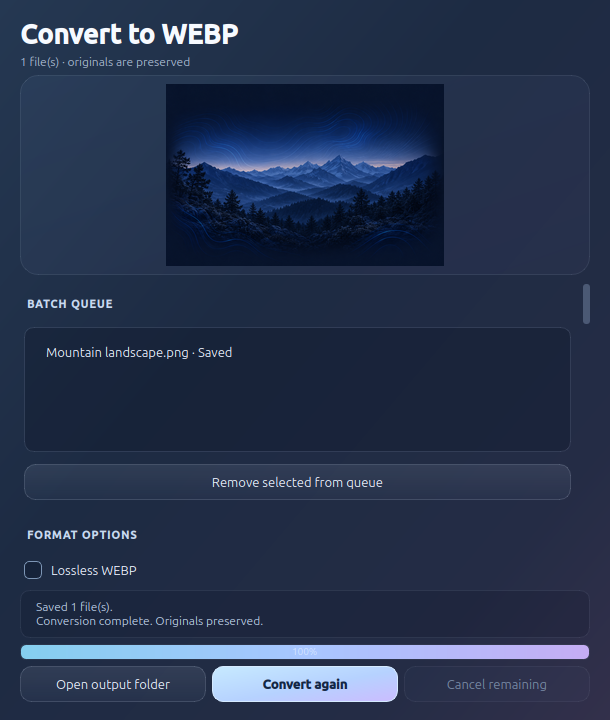
Customize. Convert. Keep the original.
Adjust size and quality, preview the result, and save a separate converted file.
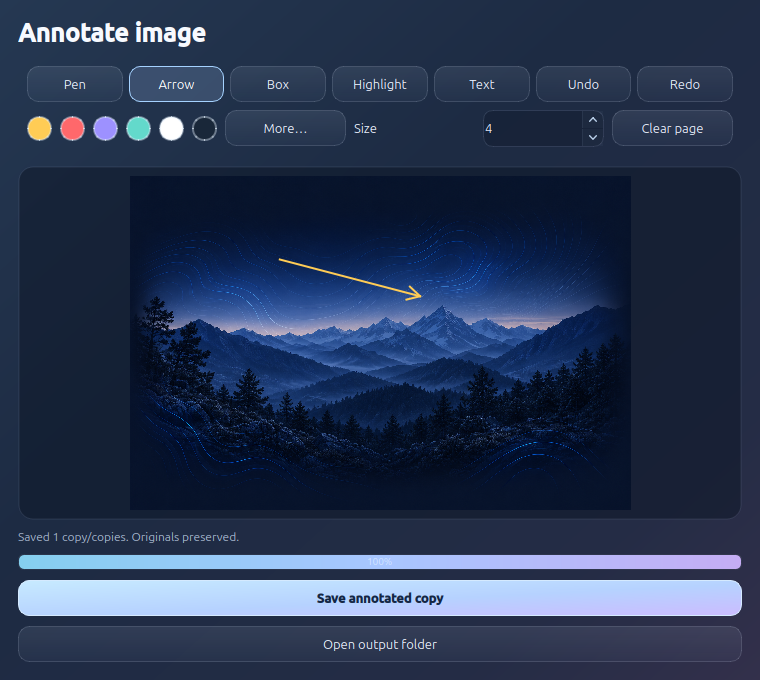
Put your point on the page
Pen, arrows, boxes, highlights and text, with quick colors and undo/redo.
More than conversion
- Image formats, PDF and DOCX conversion
- Exact resizing, compression and watermarks
- PDF merge, split, rotation and page extraction
- Local English/Hindi OCR with Tesseract
- ZIP creation and selective extraction
- Saved workflows and batch cancellation
Made for local work
Converted results save beside their source with a _CONV suffix. Originals stay intact, and existing outputs get unique names.
The app lives in the tray between tasks. The studio provides file selection and tools even when global desktop gestures are unavailable.
These are real app captures. The conversion and annotation screenshots were captured after saving generated demonstration files.