Stock in & stock out
Record deliveries and sales, then see the quantity left for each product.
 Let’s talk ↗
03 / WEB APP FOR SMALL SHOPS
For shopkeepers who need to track their stock without learning a spreadsheet. Three clear actions, familiar Hindi labels, and less typing.
A LOOK INSIDE
Six supplied app captures, presented in iPhone 16-style frames. Tap any screen to take a closer look.
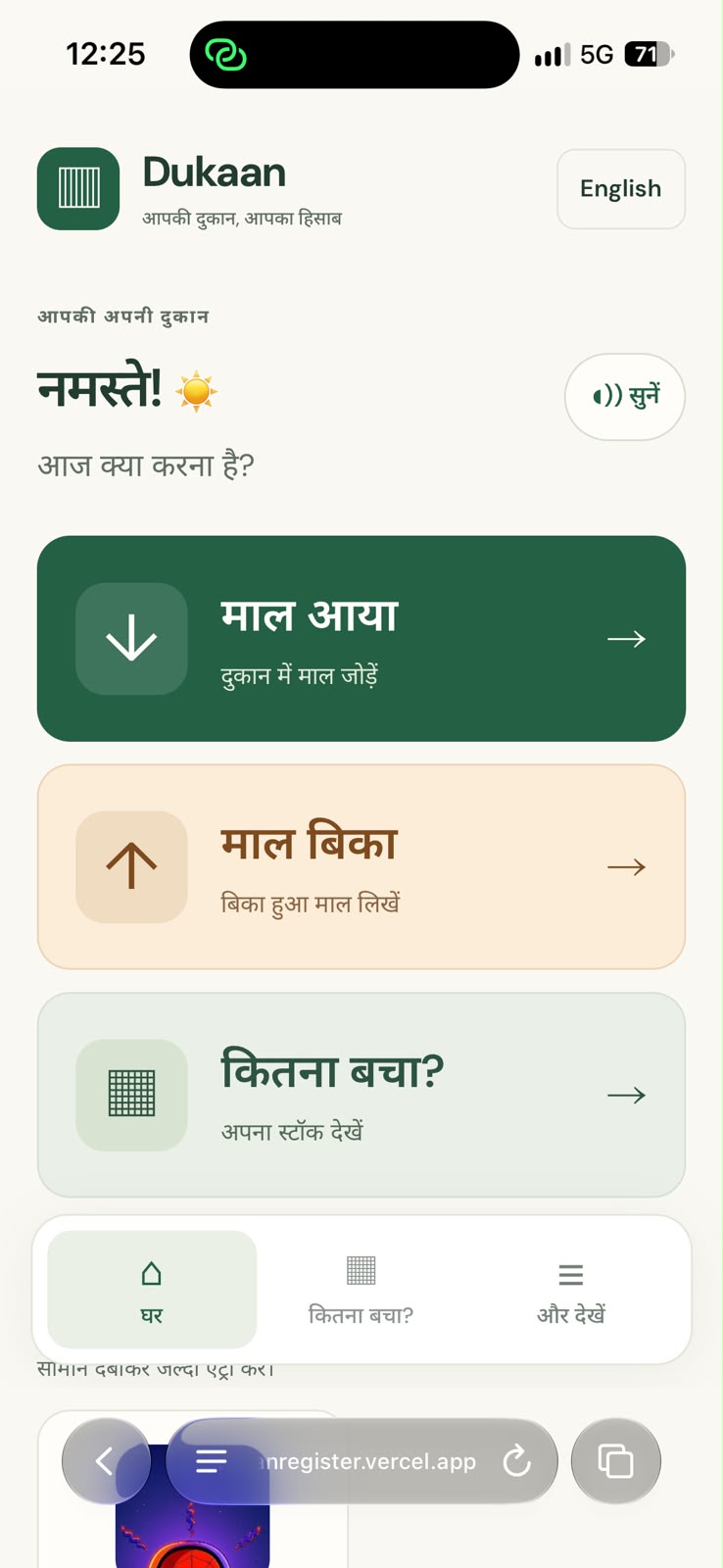
Add stock, record sales, or check what remains, with clear Hindi labels.
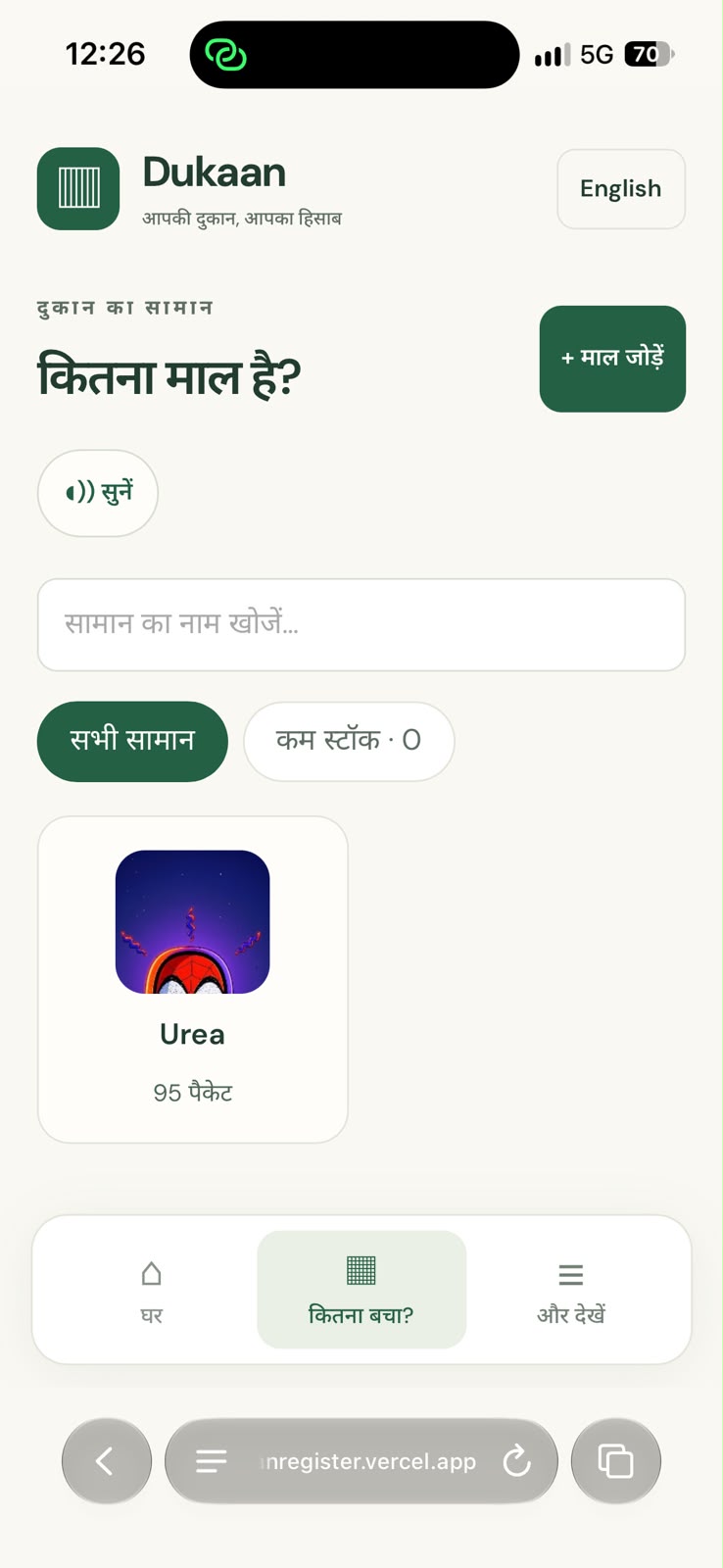
Product photos, remaining quantities, search, and low-stock filters.
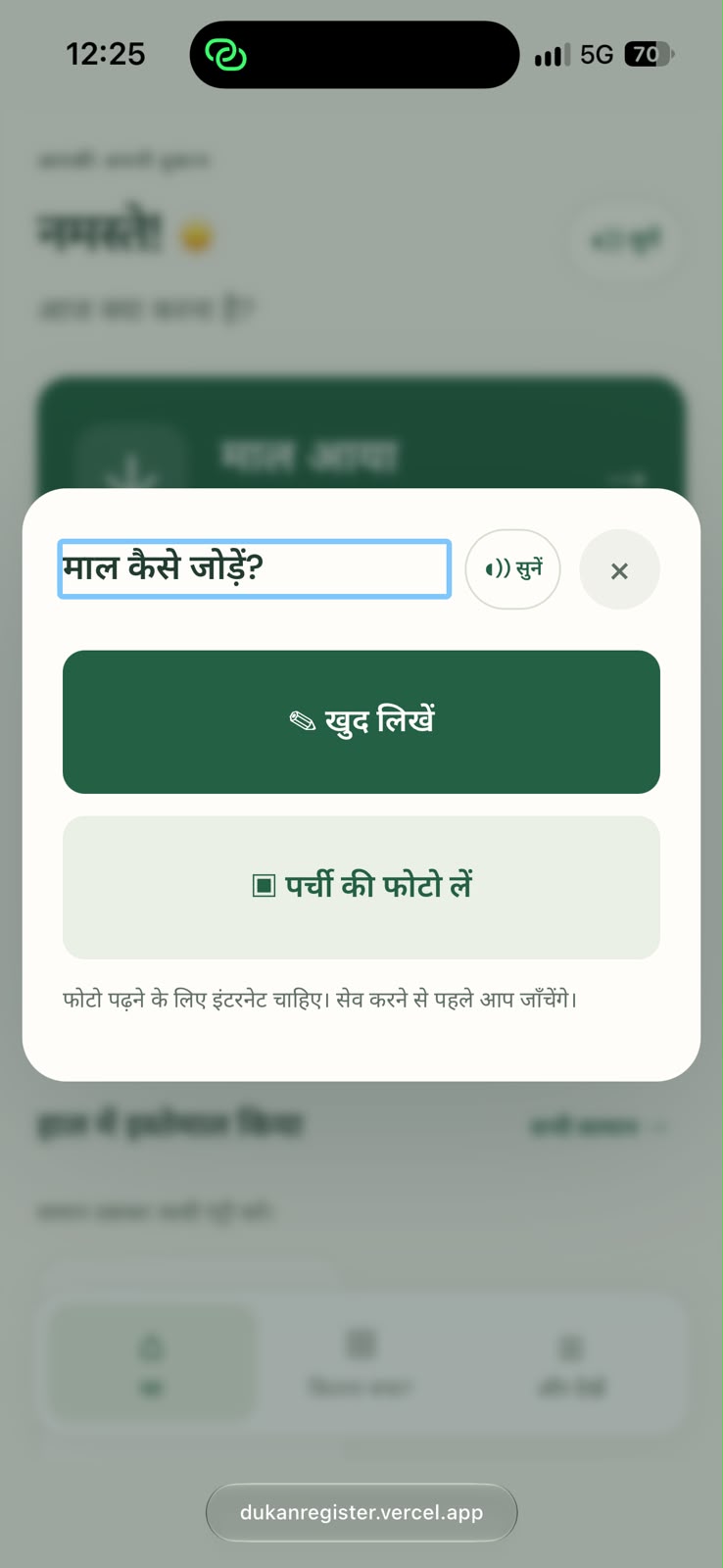
Choose how to add incoming goods. OCR results are reviewed before saving.
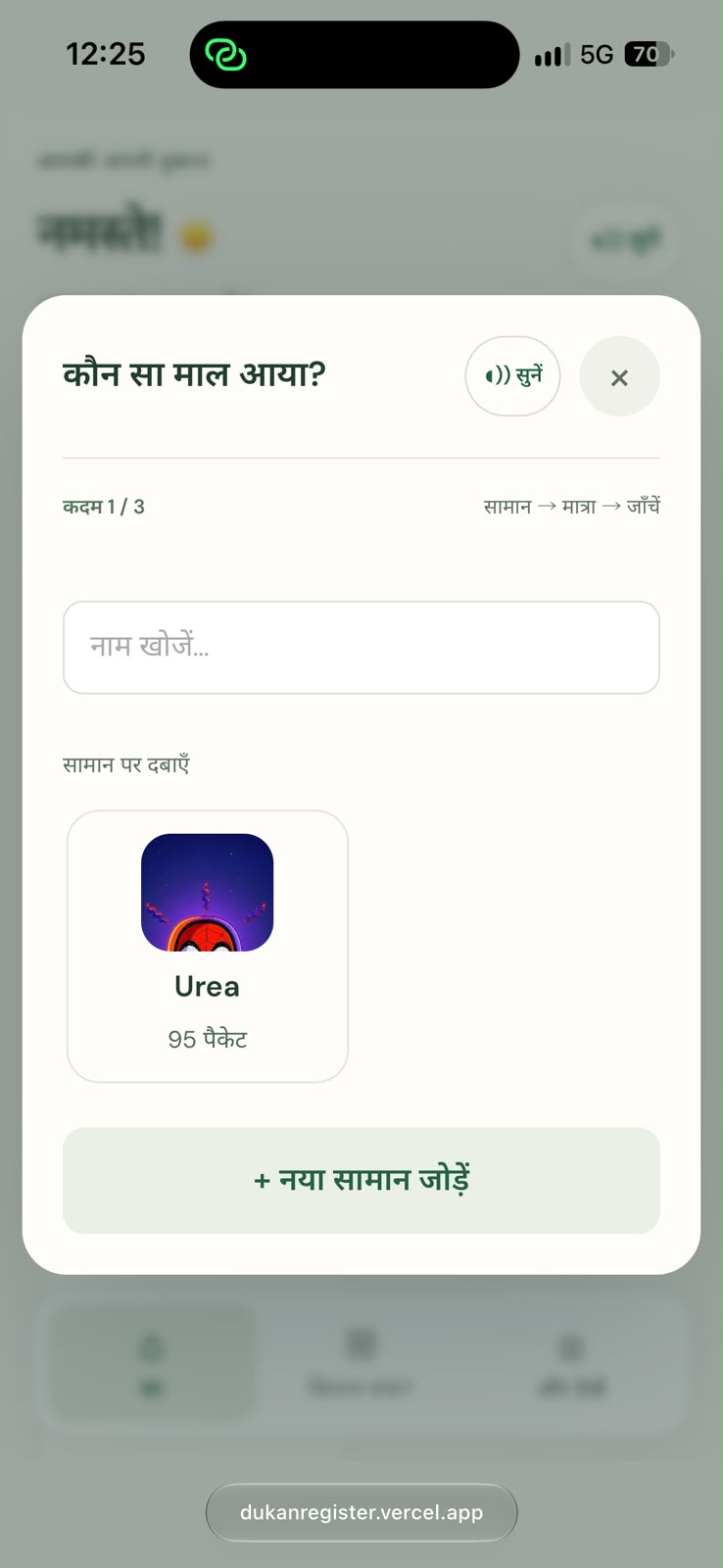
Choose an existing item or add a new one, one step at a time.
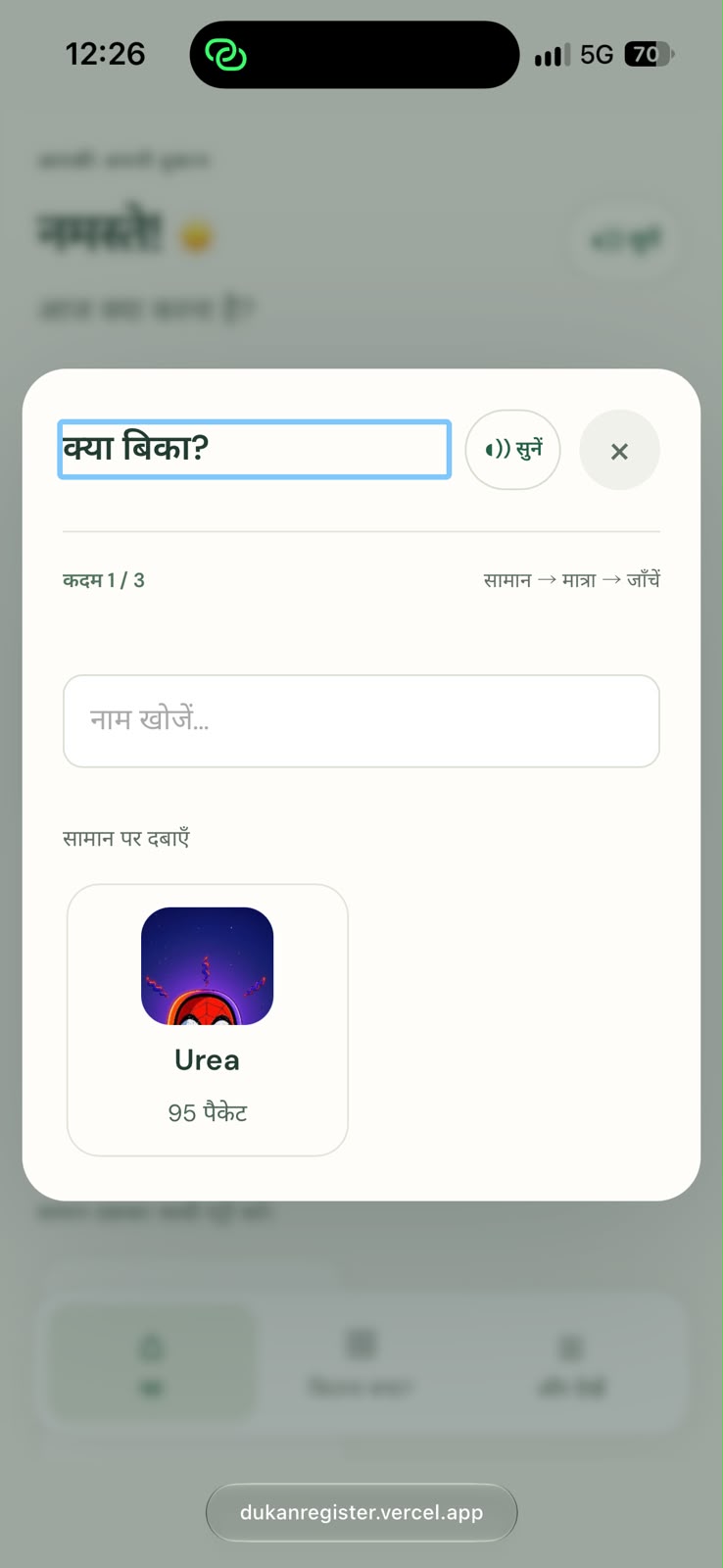
A familiar product picker helps owners record outgoing goods.
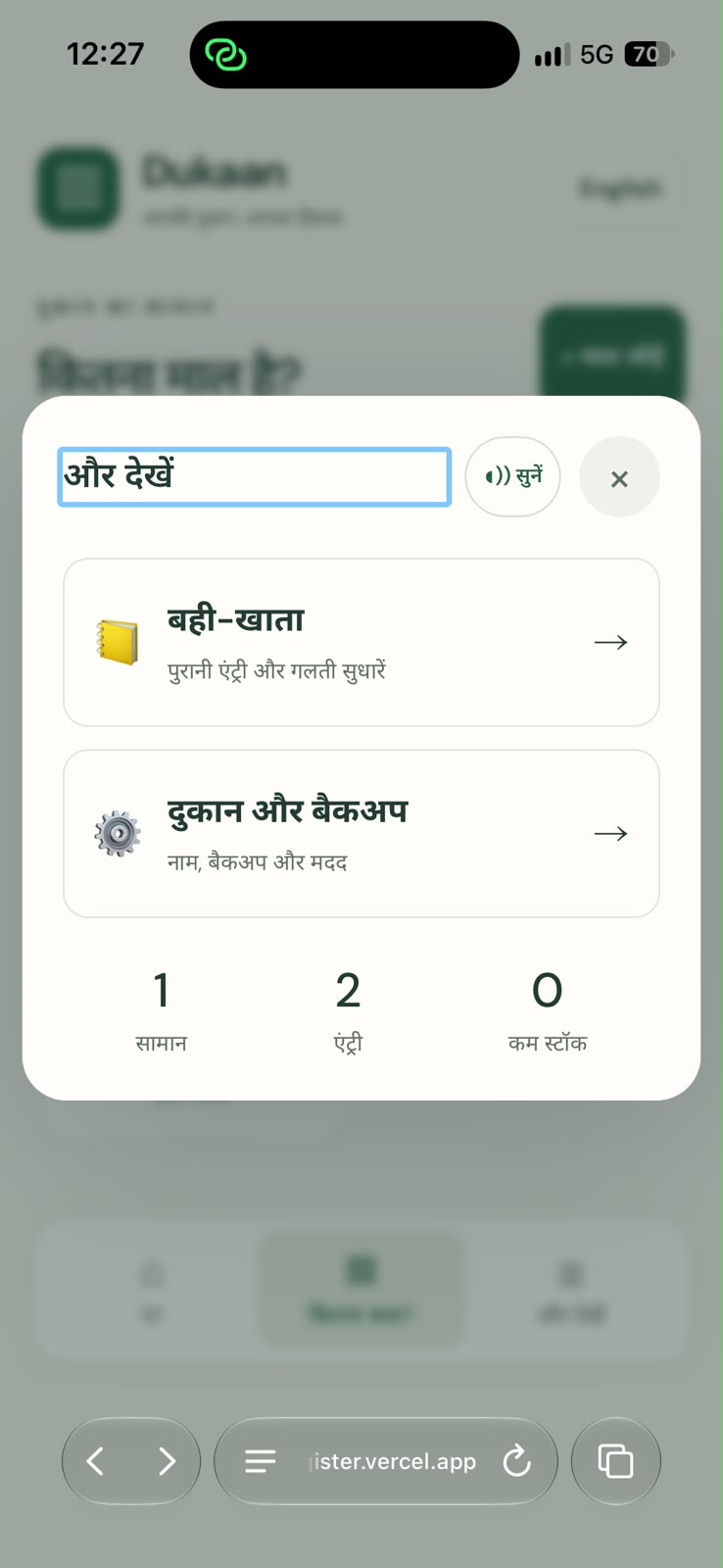
Find the register, shop settings, and backup tools in one simple menu.
WHAT THE APP DOES
Record deliveries and sales, then see the quantity left for each product.
Recognise goods by their photos. Capture a new photo or choose one from the gallery.
Switch languages and use large, familiar labels with read-aloud instructions.
Read a Hindi or English slip, then check the product names, quantities and units before saving.
Use quick quantity buttons, review the final entry, and undo mistakes from the register.
Spot low stock and export or restore a backup. Records stay in the current browser.
Track stock in and stock out, recognise products by their photos, and spot low stock. Large quantity controls, a final check before saving, and undo help make corrections straightforward.
Hindi and English labels and read-aloud buttons support owners who prefer a simpler interface. Device voices vary by browser.
Records are stored in the current browser. Export and restore a backup to keep a copy or move to another device. Cloud accounts and automatic multi-device sync are not part of this version.
Slip OCR needs internet and owner review. Handwritten text can be inaccurate; quantities and units should always be checked.
Open the register in your phone’s browser and add your first product.